npub18k…zylm3 on Nostr: New Killer feature added to LCC .. now you can set a schedule on your automatic ...
New Killer feature added to LCC .. now you can set a schedule on your automatic rebalances .. why ?
there are routing patterns for each channel, at very specific times there are bursts of routing fees based on the time zones of each channel .. when the network settles transactions .
I let Claude analyze these patterns over all transactions ever made using the CSV export feature , and it pinpointed several times that are different for each channels .
With scheduled rebalances
you can set a timer to rebalance each channel right before these activity bursts , the full process as explained in the LCC manual
Routing Pattern Analysis
Find your node's peak routing hours to optimize when auto-rebalancing runs.
How to Analyze Your Routing Patterns
Export your routing history CSV from the Routing page (All time), then ask Claude or any AI assistant:
"Analyze this routing CSV and show me hourly and daily patterns - when does my node route the most?"
What to Look For
Peak hours with highest fees - these are your money hours
Dead hours with low or zero activity
Daily patterns - weekdays vs weekends
How to Use This Data
Set your per-channel auto-rebalance to run 1 hour BEFORE your peak hours. This ensures channels have liquidity when traffic spikes.
Example: If your node peaks at 9-11 AM and 10-11 PM, set auto-rebalance to run at 8 AM and 9 PM.
Tip: You need at least 2 weeks of routing data for reliable patterns. Re-analyze monthly as your channel mix changes.
https://m.stacker.news/156463 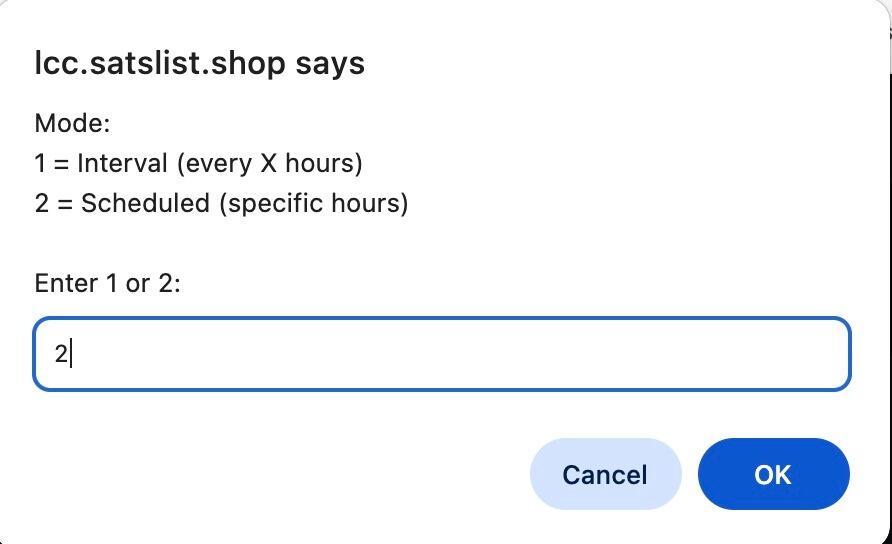
Published at
2026-09-13 02:25:42 UTCEvent JSON
{
"id": "81c8ddc73d4a2d33a4a95409d108b1ce1bbd9ce04fca84db717b4d2addea5928",
"pubkey": "3d8a574965aa15e2ffe3da118bdcf8f1ee0ec15cd087b73ad4dc5ecbb3a91ecc",
"created_at": 1789266342,
"kind": 1,
"tags": [],
"content": "New Killer feature added to LCC .. now you can set a schedule on your automatic rebalances .. why ?\nthere are routing patterns for each channel, at very specific times there are bursts of routing fees based on the time zones of each channel .. when the network settles transactions .\nI let Claude analyze these patterns over all transactions ever made using the CSV export feature , and it pinpointed several times that are different for each channels .\nWith scheduled rebalances\nyou can set a timer to rebalance each channel right before these activity bursts , the full process as explained in the LCC manual\nRouting Pattern Analysis\nFind your node's peak routing hours to optimize when auto-rebalancing runs.\nHow to Analyze Your Routing Patterns\nExport your routing history CSV from the Routing page (All time), then ask Claude or any AI assistant:\n\"Analyze this routing CSV and show me hourly and daily patterns - when does my node route the most?\"\nWhat to Look For\nPeak hours with highest fees - these are your money hours\nDead hours with low or zero activity\nDaily patterns - weekdays vs weekends\nHow to Use This Data\nSet your per-channel auto-rebalance to run 1 hour BEFORE your peak hours. This ensures channels have liquidity when traffic spikes.\nExample: If your node peaks at 9-11 AM and 10-11 PM, set auto-rebalance to run at 8 AM and 9 PM.\nTip: You need at least 2 weeks of routing data for reliable patterns. Re-analyze monthly as your channel mix changes.\nhttps://m.stacker.news/156463\n\nhttps://image.nostr.build/17e9d4b70ea6a75cf48d5c44b75ec9514972ecf4cfbd29ad50ca1f86a8893219.jpg",
"sig": "d38c03e49df4eeec462cee33e063f60a91c525a55e7284caac12451722e6f4f38aee7658a78ae6351e1e1f33211ca38191f5f474d6d51d24c26958d66619048c"
}